

Top Causes of Ink Contamination in DTF Printing
- Ryan Slemon
- 20 hours ago
- 6 min read

A printhead can be mechanically sound, correctly installed and supplied with ink, yet still produce weak colour, missing nozzles or unpredictable banding. In many cases, the fault is not the printhead itself. The top causes of ink contamination are usually found in the ink path, maintenance routine or working environment, and they can quickly affect production quality in both DTF and UV printing.
Contamination is not limited to visible debris. It can include cured particles, dried pigment, incompatible fluid, fibres, air-borne dust, microbial growth and chemical residue. Each behaves differently inside a printer, but all can restrict ink flow or alter the way ink performs on the substrate. For commercial operators, early control is far less costly than replacing a blocked printhead or recovering from a failed production run.
Top Causes of Ink Contamination in DTF and UV Printers
Mixing incompatible inks or fluids
The most avoidable problem is introducing an ink, cleaning solution or flushing fluid that is not compatible with the existing system. Inks are formulated around specific pigment dispersions, resins, surfactants and viscosity ranges. When two formulations are mixed, they may react, separate or form sediment. What initially looks like a minor change in colour density can become a blockage in dampers, filters, manifolds or the printhead.
This risk is particularly significant when changing suppliers, topping up partially full bottles, or using a general-purpose cleaning fluid in a system that requires a specified solution. UV inks can be especially sensitive because their chemistry is designed to cure under a controlled light source. DTF white ink also demands care because its high pigment loading makes it more prone to settling and instability.
If a change of ink is necessary, the correct process depends on the printer, ink type and condition of the ink lines. It may require a full controlled flush rather than simply adding new ink to the existing supply. Saving time at this stage can create a much larger repair requirement later.
Poor ink storage and handling
Ink begins to degrade before it reaches the printer if it is stored incorrectly. Temperature extremes, direct light, broken seals and prolonged storage after opening can all change its working properties. UV inks exposed to daylight or strong workshop lighting may begin to cure at the bottle neck or within the container. Even small cured particles can travel through the system and obstruct fine ink channels.
DTF ink requires regular, measured agitation to keep pigments evenly suspended. White ink is the main concern. If it is left still for long periods, heavier pigment settles to the bottom of the bottle, cartridge or tank. The first portion drawn into the printer may be too thin, while a later portion can be heavily concentrated. This can produce inconsistent opacity, block filters and place unnecessary strain on the ink delivery system.
Store inks in line with the manufacturer’s temperature and shelf-life guidance, keep containers tightly sealed, and rotate stock so older approved ink is used first. Shaking by hand may be suitable for some bottles, but it should be done carefully and consistently. Excessive agitation can introduce foam and air, which creates a different set of ink-flow problems.
Contaminated refill equipment and open containers
Funnels, syringes, bottles and caps are often treated as minor accessories. In reality, they are direct routes into the printer’s fluid system. A syringe previously used with cleaning fluid, another ink colour or an unknown product can transfer enough residue to destabilise a new batch of ink. Reusing dirty caps or leaving ink containers uncovered also introduces dust, fibres and dried ink particles.
A controlled refill process is simple but needs discipline. Use dedicated, clearly labelled equipment for each ink type and colour. Keep refill tools clean, dry and protected when not in use. Do not return unused ink from an open container to the main bottle unless the process specifically permits it. Once ink has been exposed to the working area, it may already contain airborne contamination.
This matters more in busy production environments where operators are moving between pretreatment, powder application, film handling and finishing. Powder, lint and garment fibres can settle on open ink bottles or refill stations without being immediately obvious.
Inadequate filtration and neglected consumables
Filters, dampers and ink lines are designed to protect the most expensive and sensitive component in the system: the printhead. They do not last indefinitely. As they collect pigment, debris and residue, ink flow becomes restricted. Operators may then see intermittent nozzle drop-out, colour variation, starvation on heavy coverage areas or repeated cleaning cycles that provide only temporary improvement.
Replacing consumables on condition is sensible, but waiting for a visible failure is not always the right approach for a production printer. A planned maintenance schedule based on ink type, print volume and machine design gives more predictable results. High-output DTF white channels often need closer attention than lower-use colour channels because they carry more pigment and are more likely to accumulate deposits.
There is a trade-off. Replacing parts too early increases operating cost, while stretching their service life can expose a printhead to contamination or poor ink supply. The correct interval should reflect actual machine use and the condition found during inspection, not an arbitrary calendar date alone.
Poor maintenance station hygiene
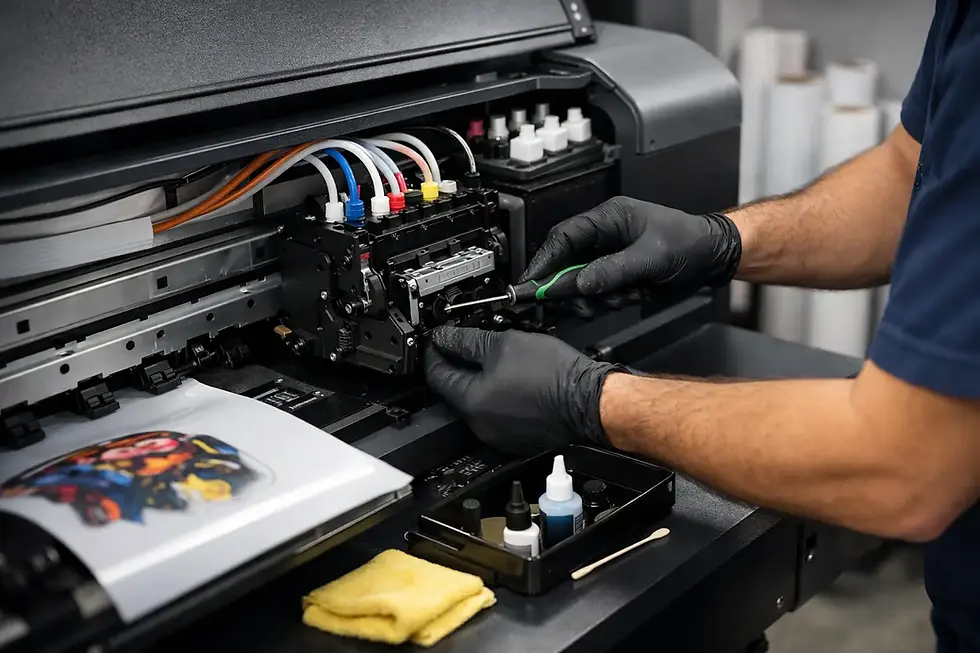
The capping station, wiper, pump and waste system work together to keep printheads clean and sealed when not printing. If these parts are dirty, worn or saturated with old ink, contamination can be transferred directly to the printhead face. A damaged wiper may drag dried residue across nozzle plates. A cap that no longer seals properly can allow ink to dry, while a blocked pump can prevent effective cleaning.
UV printers add another consideration. Cured ink around the carriage, cap tops or printhead area can shed small particles during movement. DTF printers commonly suffer from build-up caused by white ink and poor cleaning routines. In both cases, using the wrong cleaning liquid or over-soaking components can cause damage rather than resolving the underlying issue.
Inspect the maintenance station as part of routine daily care. Look for hardened ink, distorted cap tops, frayed wipers, poor suction and excessive build-up around the carriage. These are not cosmetic concerns. They are indicators that the printer may be contaminating itself during its own maintenance cycle.
Environmental dust, fibres and powder
A printer does not operate in isolation. DTF powder stations, garment preparation benches, sanding, cutting, packing and general foot traffic all create airborne particles. UV printing areas can have their own challenges, including substrate debris, machining dust and packaging fibres. These contaminants can settle on media, carriage components, ink containers and open maintenance stations.
The answer is not necessarily a cleanroom. Most print businesses need practical controls that suit production. Keep the printer area separate from powder handling where possible, clean surfaces with suitable lint-free materials, and avoid placing open bottles or service tools near finishing equipment. Good housekeeping reduces contamination risk and makes genuine faults easier to diagnose.
Humidity and temperature also affect ink behaviour. Conditions that are too cold can increase viscosity, while excessive heat can accelerate degradation. Sudden environmental changes may not introduce particles, but they can make minor contamination issues much more apparent by reducing the printer’s tolerance for restricted flow.
How Contamination Appears During Production
Contamination rarely presents as one universal fault. It often starts with a pattern that becomes more frequent over time. White ink may show reduced opacity or uneven laydown. A UV printer may show colour shift, graininess or intermittent nozzle loss. Cleaning cycles may temporarily restore output before the same problem returns.
Repeated nozzle checks are useful because they show whether the issue is stable, worsening or moving between channels. A fault that follows one colour may point towards that ink supply, damper, filter or line. A fault affecting several channels after maintenance may indicate contamination at the capping station, incorrect cleaning practice or an issue elsewhere in the shared system.
Avoid assuming that every nozzle failure requires an aggressive printhead clean. Strong cleaning procedures can be justified in the right circumstances, but they should follow diagnosis. Repeatedly forcing fluid through a restricted system can dislodge debris and move it closer to the printhead.
A Practical Contamination-Control Routine
For most commercial operators, prevention comes down to a documented routine carried out consistently. Before production, inspect ink levels, gently agitate approved DTF inks as required, perform a nozzle check and check that the capping and wiping area is clean. During refilling, use dedicated equipment and keep all containers closed when they are not actively being used.
At scheduled service intervals, inspect filters, dampers, lines, cap tops, wipers and pumps. Record replacements and recurring symptoms. This history helps distinguish a consumable issue from a developing fault in the ink system, electronics or printhead. It also prevents maintenance decisions being based solely on memory during a busy week.
When quality problems persist, stop introducing variables. Do not change ink, cleaning fluid, settings and components all at once. Establish which channel is affected, check the condition of the maintenance station and consumables, and assess whether a recent refill, ink batch or environmental change coincides with the fault. Laserprints can support this type of technical diagnosis, including specialist printhead cleaning and repair work where contamination has already affected output.
Clean ink handling is not an administrative detail. It is part of protecting production capacity. A controlled refill process, clean maintenance station and timely consumable replacement give the printer the stable conditions it needs to deliver consistent work when customer deadlines are tight.

Comments