

Commercial DTF Printer Maintenance Guide
- Ryan Slemon
- 2 days ago
- 5 min read

A missed white-ink circulation check can turn a profitable production day into a printhead replacement, delayed orders and difficult customer conversations. This commercial DTF printer maintenance guide is designed for UK print businesses that need reliable output, predictable production and fewer avoidable call-outs.
DTF equipment is capable of excellent commercial results, but it is not a fit-and-forget process. Ink chemistry, printhead condition, environmental stability and disciplined cleaning all affect whether a printer produces clean, repeatable transfers or develops banding, blocked nozzles and adhesion problems. The most effective maintenance routine is not necessarily the longest one. It is the one completed correctly, at the right interval, by operators who know what to look for.
Why Commercial DTF Printer Maintenance Matters
In a commercial setting, a printer fault rarely affects one job. It can hold up artwork approval, powder application, curing, pressing and dispatch. The direct cost is not just ink or parts. It includes wasted film, operator time, missed deadlines and the risk of losing confidence with a trade customer.
Printheads are particularly vulnerable. DTF inks contain pigments that settle over time, and white ink is the most demanding part of the system. If circulation, agitation or capping performance is poor, sediment and dried ink can restrict nozzles. Running a printer with a deteriorating nozzle pattern may appear to save time, but it often makes the eventual recovery more difficult and expensive.
A sound maintenance programme also gives you useful evidence. Nozzle checks, cleaning records and photographs of print defects help distinguish an ink delivery issue from a head, damper, cap station or electronics fault. That makes diagnosis faster when specialist support is required.
Daily Commercial DTF Printer Maintenance Guide
Daily checks should be completed before production begins, not halfway through a run when defects become visible. Start with a nozzle check on the appropriate film and inspect it carefully. Look for missing nozzles, deflection, weak channels and inconsistency in the white layer. Do not judge a pattern only by whether it is broadly acceptable. Small losses can become visible on fine artwork, pale colours and high-coverage designs.
Check the ink system next. Confirm that ink levels are sufficient for the planned run and that white ink circulation or agitation is operating as specified by the manufacturer. Inspect bottles, tanks, lines and dampers for air bubbles, leaks, contamination or pigment settlement. Use the approved ink only. Mixing formulations, topping up with old stock or using unsuitable cleaning fluid can cause colour shift, clogging and compatibility issues that are far more costly than the apparent saving.
The capping station deserves close attention. It must seal cleanly against the printhead when the carriage is parked. Wipe away residue around the cap top with the correct lint-free swab and approved fluid, taking care not to damage the sealing edge. If the cap does not seal, the head can dry during idle periods and automated cleans will not draw ink effectively.
Clean loose ink, powder and dust from the print area, platen, encoder strip area and around the wiper mechanism. Powder contamination is especially troublesome in DTF workflows because it can be carried into moving assemblies or settle on printed film. Never use excessive force or unapproved solvents around sensors, belts and electrical components.
Before leaving the machine, complete the manufacturer-approved shutdown or standby procedure. A commercial printer that is inactive overnight still requires correct capping, ink circulation where applicable and environmental control. Simply switching off at the wall can create problems that are not apparent until the next morning.
Weekly Checks That Protect Print Quality
Weekly maintenance should go beyond a quick wipe-down. Inspect the wiper blade and its holder for ink build-up, wear or distortion. A contaminated wiper can transfer dried ink back onto the nozzle face, while a worn blade may fail to clean it evenly. Replace consumables before they become a print-quality fault.
Clean the encoder strip only using the correct method for your printer. This thin, marked strip helps the carriage determine position. Ink mist, dust or fingerprints can lead to carriage errors, misregistration or inconsistent printing. It is delicate, so aggressive cleaning creates as much risk as neglect.
Inspect waste ink bottles, tubes and drainage points. A blocked or full waste system can cause leaks, contamination and service disruption. Check fans, filters and external vents at the same time. Good airflow supports stable curing and helps keep internal components free of excessive dust, but filters must be cleaned or replaced at suitable intervals.
Review the quality of the finished transfer, not only the printer test. Check colour density, white opacity, fine detail, powder coverage and cured film behaviour. If a transfer appears grainy, underpowered or uneven, the cause may sit across the workflow. Ink, media, RIP settings, powder, curing temperature and humidity should all be considered before adjusting printer settings at random.
Control the Conditions Around the Printer
Commercial DTF printers perform best in a stable production environment. Large swings in temperature or humidity affect ink flow, static, film handling and drying behaviour. Excessively dry air can increase static and attract powder or dust. Damp conditions may affect powder performance and cured transfers. Aim to operate within the equipment and consumable supplier's recommended range, and monitor conditions rather than relying on assumptions.
Keep the printer away from direct sunlight, draughts, radiators and doors that open frequently to a loading area. A clean, level workspace also matters. Vibration can affect print consistency, while poor housekeeping increases the chance of powder and lint finding their way into sensitive assemblies.
Consumables need the same care. Store inks at suitable temperatures, rotate stock and observe expiry information. Film and powder should remain clean, dry and protected from unnecessary temperature changes. Inconsistent consumables can imitate a machine fault, so maintaining traceability by batch is worthwhile for production businesses handling repeat trade work.
Know When Cleaning Is No Longer the Answer
A missing nozzle pattern does not always call for repeated cleaning cycles. Excessive automatic or manual cleaning wastes ink, fills the waste system and may place additional strain on components. If a nozzle check does not improve after the approved recovery process, stop and assess the likely cause.
Persistent loss in one channel may indicate a restricted damper, ink line issue, failing cap station, air ingress or a printhead fault. Repeated carriage errors may point to the encoder system, cable connections, motor control or board-level issues. Each requires a different approach. Guesswork can turn a repairable fault into component damage.
Keep a simple maintenance and fault record that notes the date, printer hours, inks used, nozzle test result, cleaning undertaken and any error codes. This is particularly valuable where several operators use the same machine. It also provides a clear starting point for an engineer, reducing diagnostic time and avoiding duplicated work.
Plan Servicing Around Production, Not Breakdown
Daily care protects the printer between services, but it does not replace planned engineering inspection. Commercial machines benefit from periodic servicing based on usage, ink type, production environment and the age of critical components. High-output printers may need closer attention than a machine used only a few days each week.
A proper service can assess cap station performance, pumps, dampers, wipers, ink delivery, carriage movement, electrical connections, firmware-related behaviour and print calibration. It is an opportunity to replace worn parts before they create unplanned downtime. The right interval depends on the printer and workload, but waiting for visible failure is rarely the economical option.
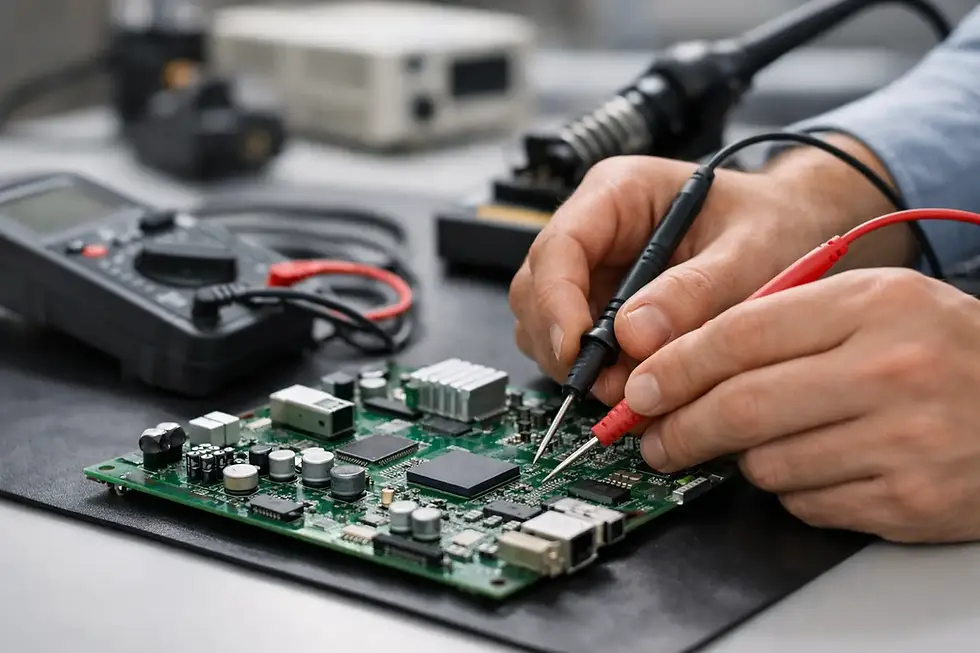
Laserprints supports commercial DTF operators with specialist repairs, servicing, printhead cleaning, spare parts and nationwide technical support. Where faults involve electronics or control systems, accurate diagnosis is particularly important. Board-related issues can present as printing faults, communication errors or unpredictable carriage behaviour, and should be handled with the correct test equipment and experience.
A clean nozzle check is useful. A printer that produces it consistently, week after week, is what protects your production schedule. Build maintenance into the start and end of each shift, record what changes, and involve a specialist before a small print-quality issue becomes a stopped machine.


Comments